
Introduction
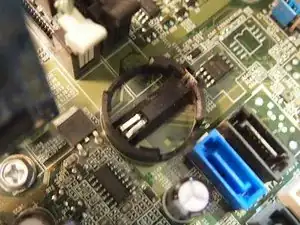
Replacing the battery is easy, you pop out the old one and pop in the new one.
Tools


-
-
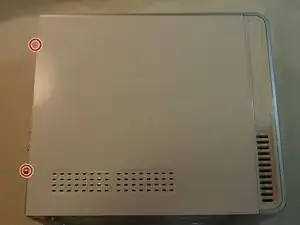
Unscrew the two screws shown that are holding on the side panel. Then slide the side panel towards the back to remove it.
-



Conclusion
To reassemble your device, follow these instructions in reverse order.
